
Table of Contents
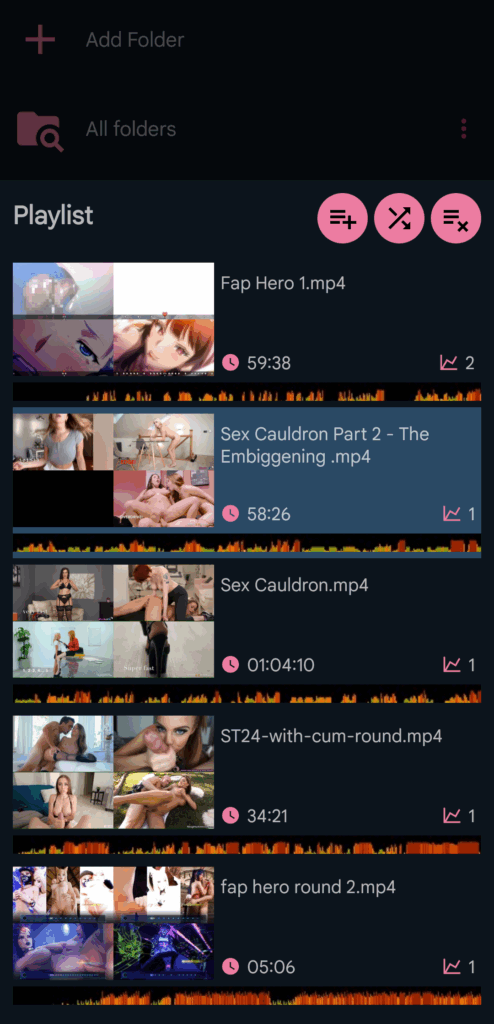
FunFlixDroid includes a flexible playlist system that works seamlessly across most views. It lets you build, manage, and control your video sessions effortlessly.
🔁 How the Playlist Works #
- The playlist is always in repeat mode: when the last video ends, playback resumes from the first video.
- A shuffle button is available to randomize the playlist order.
- ⚠️ The currently playing video stays active but its position in the playlist will be shuffled.
- You can clear the entire playlist at any time — this also stops the current video.
➕ Adding & Removing Videos #
- Tapping a video in the Gallery instantly adds it to the playlist and starts playback.
- You can also add entire folders to the playlist:
- Long-press on a folder or tap the 3-dot menu → Add to playlist
- To queue all your videos, simply add the special “All Folders” source from your Gallery.
- To remove a video from the playlist, just swipe it left or right.
🗂️ Accessing the Playlist #
- The playlist is accessible from the bottom bar across most views.
- Inside the player, tap the playlist icon at the bottom-right to open and manage it.
⚠️ Compatibility Notes #
The playlist feature is supported by most built-in players, but not all external player integrations:
- ✅ Supported: Local / Chromecast, Funscript Only, Local Website Cast, VR Player
- ⚠️ Not supported: HereSphere Connect
- These players control playback independently.
- FunFlixDroid still provides scripts and synchronization, but cannot manage playback or playlists.


