
FunFlixDroid
Sync Your Videos with Your Favorite Sextoys — Seamlessly.
FunFlixDroid is the ultimate Android app for synchronized video playback using Funscripts and Bluetooth-enabled toys. Enjoy full control, multi-source support, and a wide range of devices.
100+ Device Support
The Handy, Lovense, We-Vibe, Kiiroo, and the entire Buttplug.io ecosystem
Universal Funscript
Any funscript works – stroker scripts adapt to vibrators sextoys
Chapter Mode
Auto-detect action chapters and play only the best parts
Playback Modes
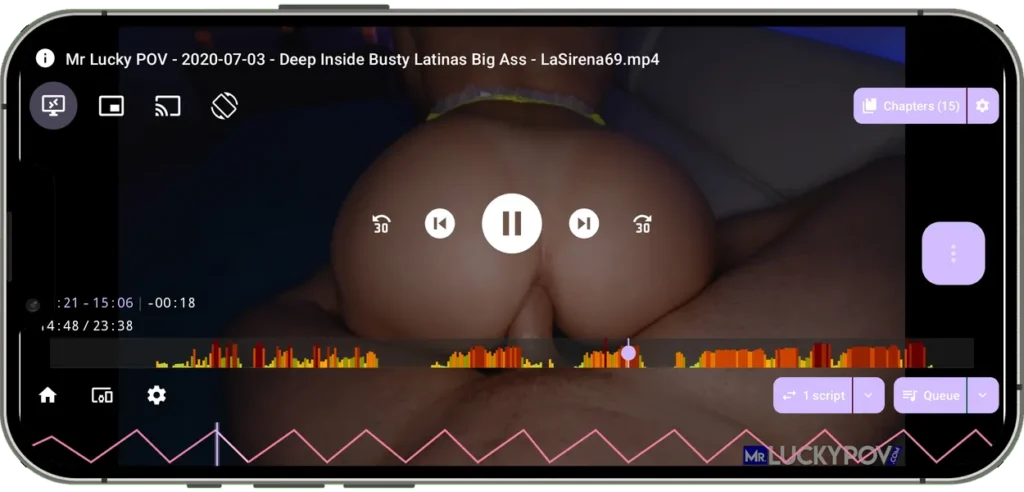
Local, Chromecast, VR, Picture-in-Picture, external player sync
Your Content, Your Way
Play from device storage, Samba shares, or HTTP streams
Voice Control
Hands-free operation with offline Vosk speech recognition
Smart Library
Filter, sort, and discover with heatmaps and script analytics
Fully Customizable
Fine-tune device behavior, gestures, and player controls
One Funscript Works Everywhere
Most apps only support the device type a script was designed for. FunFlixDroid intelligently converts stroker scripts to work on vibrators. Your entire script library works on every device.
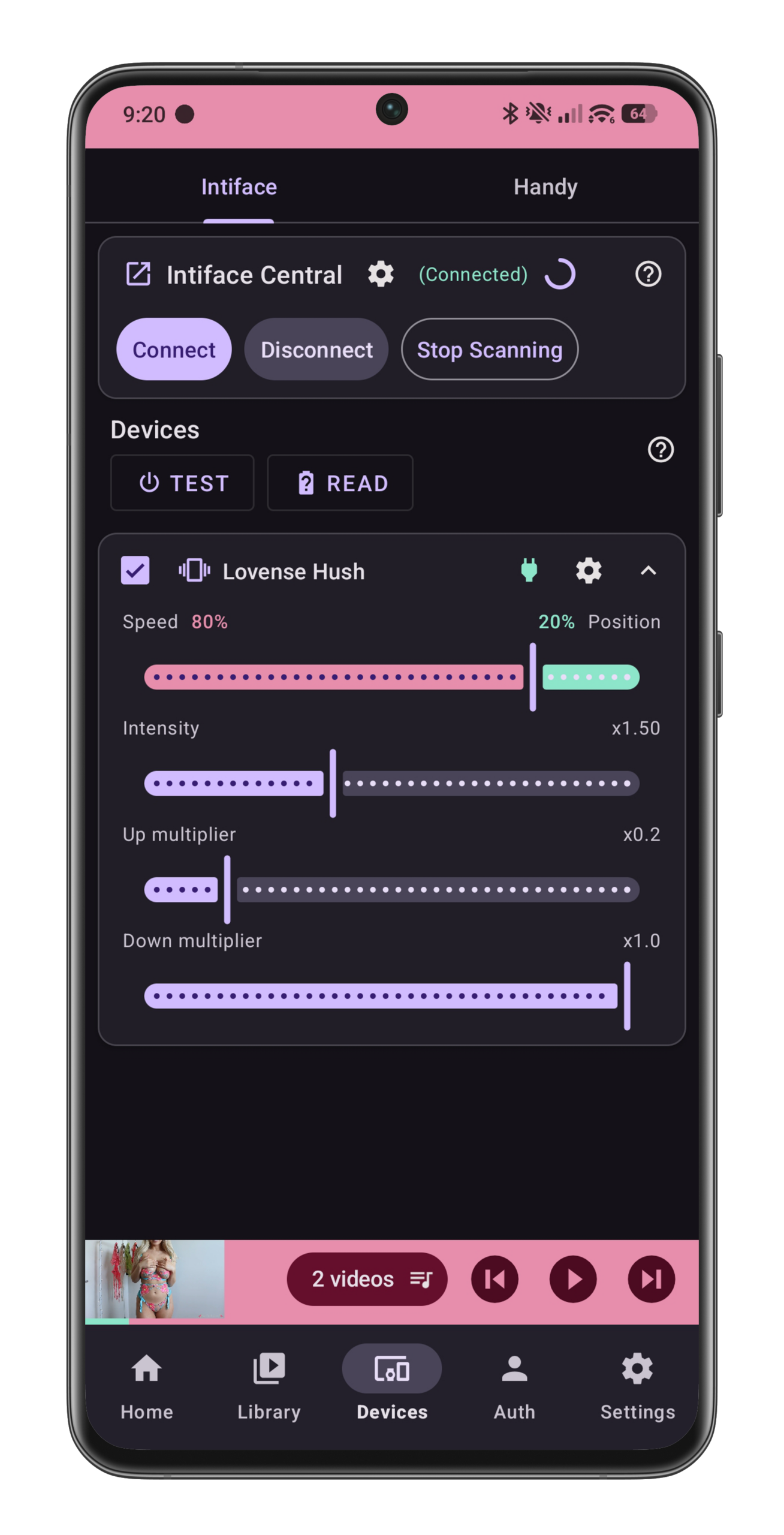
- Stroker scripts → automatic conversion for vibrators/rotators devices
- Adjustable speed/position balance to tweak the conversion to your liking
- Separate up/down stroke multipliers for better immersion
- Per-device intensity range configuration
Use your favorite stroker scripts on Lovense Edge, Gush, or any vibrating device. No need to hunt for separate script formats.
Powerful Funscript Control
Script Playback
Play standard .funscript files. Load multiple scripts simultaneously on the same video and assign each to a different device. Automatic script matching based on video filename.
Real-Time Control
Adjust intensity, speed, and timing while watching. Per-device delay (can be negative for fine-tuning). Per-script timing offsets.
Script Analytics
Every script gets analyzed: dynamic score (0-100%), mean/median speed, percentile ranges, action time percentage. Heatmap visualization shows intensity peaks.
Play Only The Best Parts
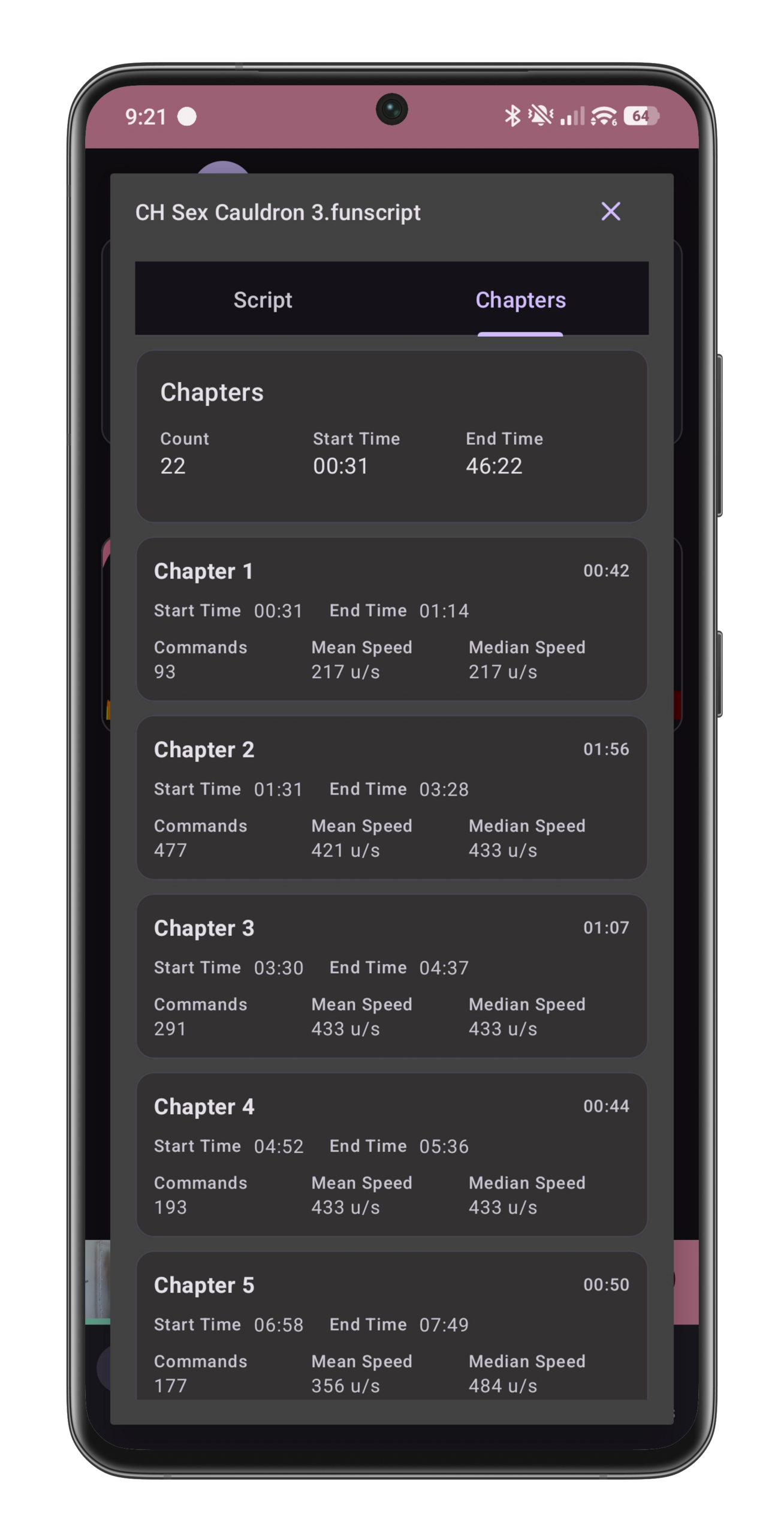
Chapter Mode automatically extracts action chapters from funscripts – continuous sections where the script is moving. Instead of watching an entire video, jump straight to the parts that matter most to you.
- Auto-Detection – App identifies continuous movement sections in the script
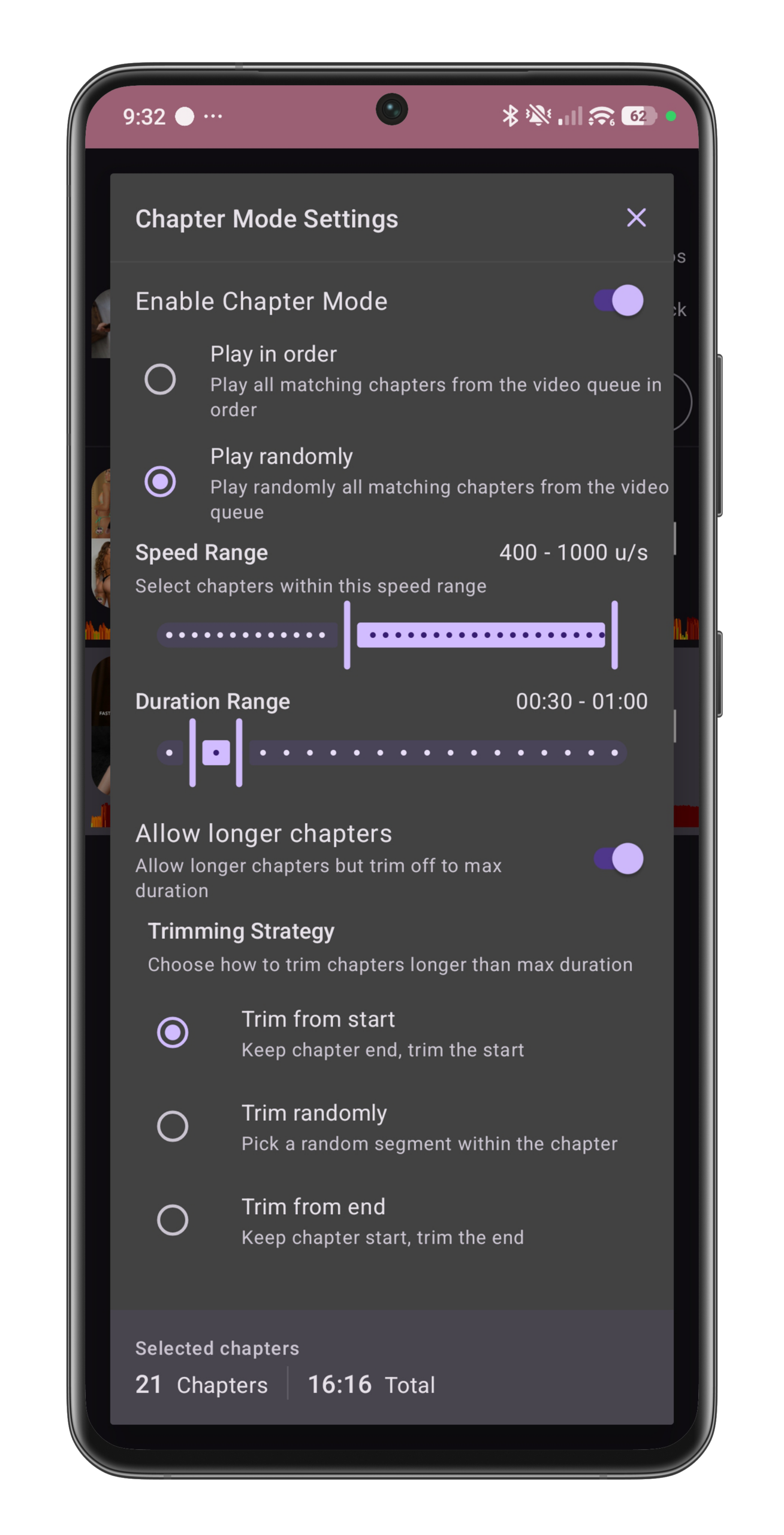
- Filtering – Filter chapters by speed range and duration (15 seconds to 5 minutes)
- Selection – Choose specific chapters or play all
- Playback – Play sequentially or shuffle for variety
- Filter by minimum/maximum speed
- Filter by duration (short bursts to long sessions)
- Filter by action intensity (based on dynamic variation score)
- Shuffle mode for random chapter order
- Trim strategies: cut from start, end, or select random segment of max duration
Works With Your Devices
FunFlixDroid gives you freedom to use the hardware you already own. Connect directly to The Handy via Bluetooth (free) or WiFi (Patreon-supported), or pair with over 100 other devices through Intiface Central.
Direct support
The Handy, The Handy 2
✅ Free: Bluetooth connectivity for The Handy + all features except WiFi
💜 Support: Patreon unlocks WiFi connectivity for The Handy
Vibrators
Lovense Lush 3, Edge 2, Edge 3, Nora, Domi 2, Ferri, Hush 2, Gush, We-Vibe Chorus, Melt 2, Sync, Nova 2, Moxie+, Satisfyer models, Svakom Emma Neo, Vick Neo, OhMiBod Esca 2, Fuse
Strokers & Other
Lovense Max 2, Domi 2, Kiiroo Onyx+, Pearl 2, Pearl 3, Titan, Keon
Any Buttplug.io compatible device
Your Library, Your Rules
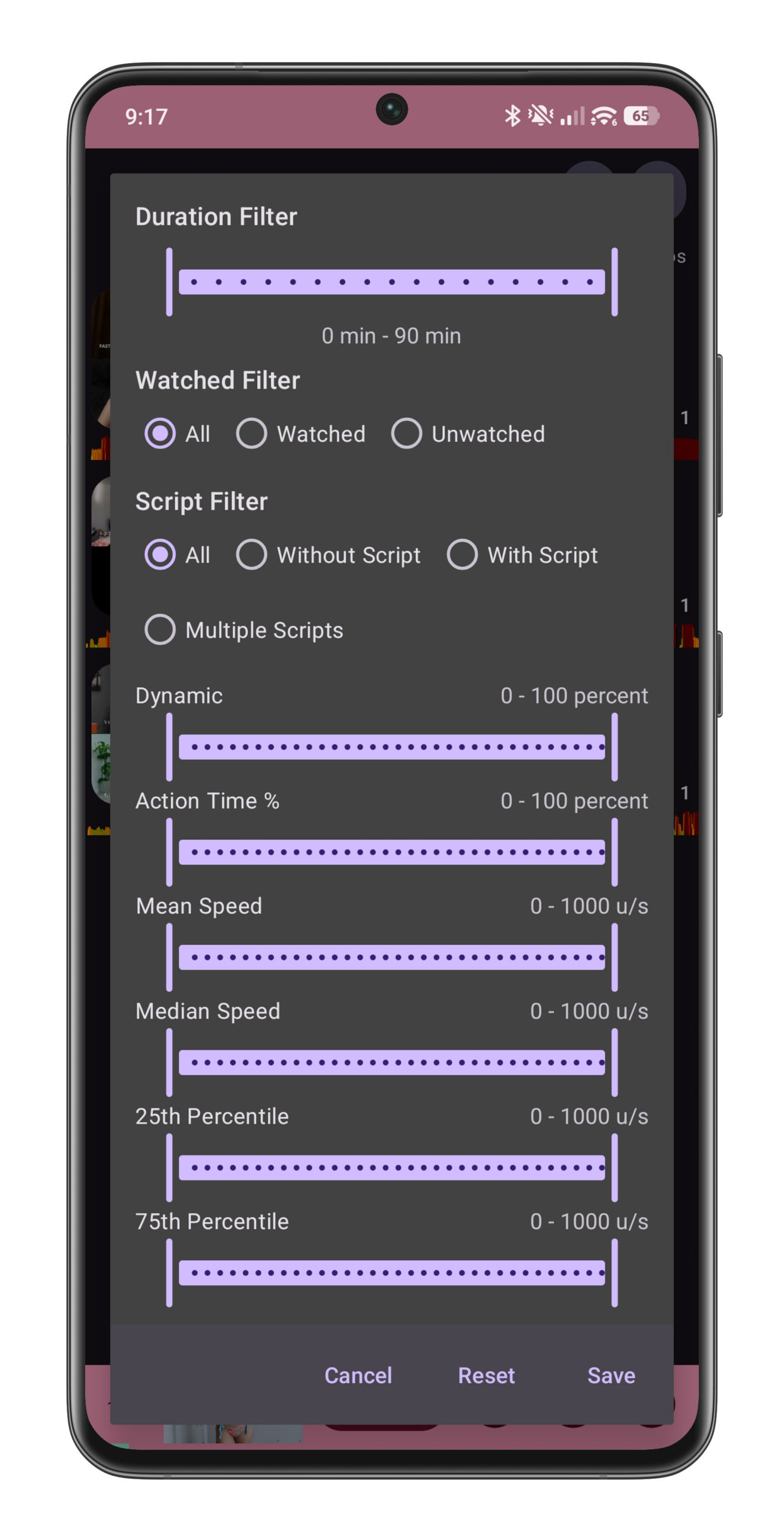
Whether you have 10 videos or 10,000, FunFlixDroid helps you find exactly what you want. Filter by script availability, quality, speed, duration, and more. Create custom playlists or let smart playlists update automatically.
- Script Availability – With script, without script, multiple scripts
- Watched Status – Watched, unwatched, never watched
- Duration – Custom range (e.g., 5-20 minutes)
- Dynamic Score – 0% (monotone) to 100% (varied/exciting)
- Speed Ranges – Mean speed, median speed, 25th/75th percentile
- Action Time – % of time the script is moving
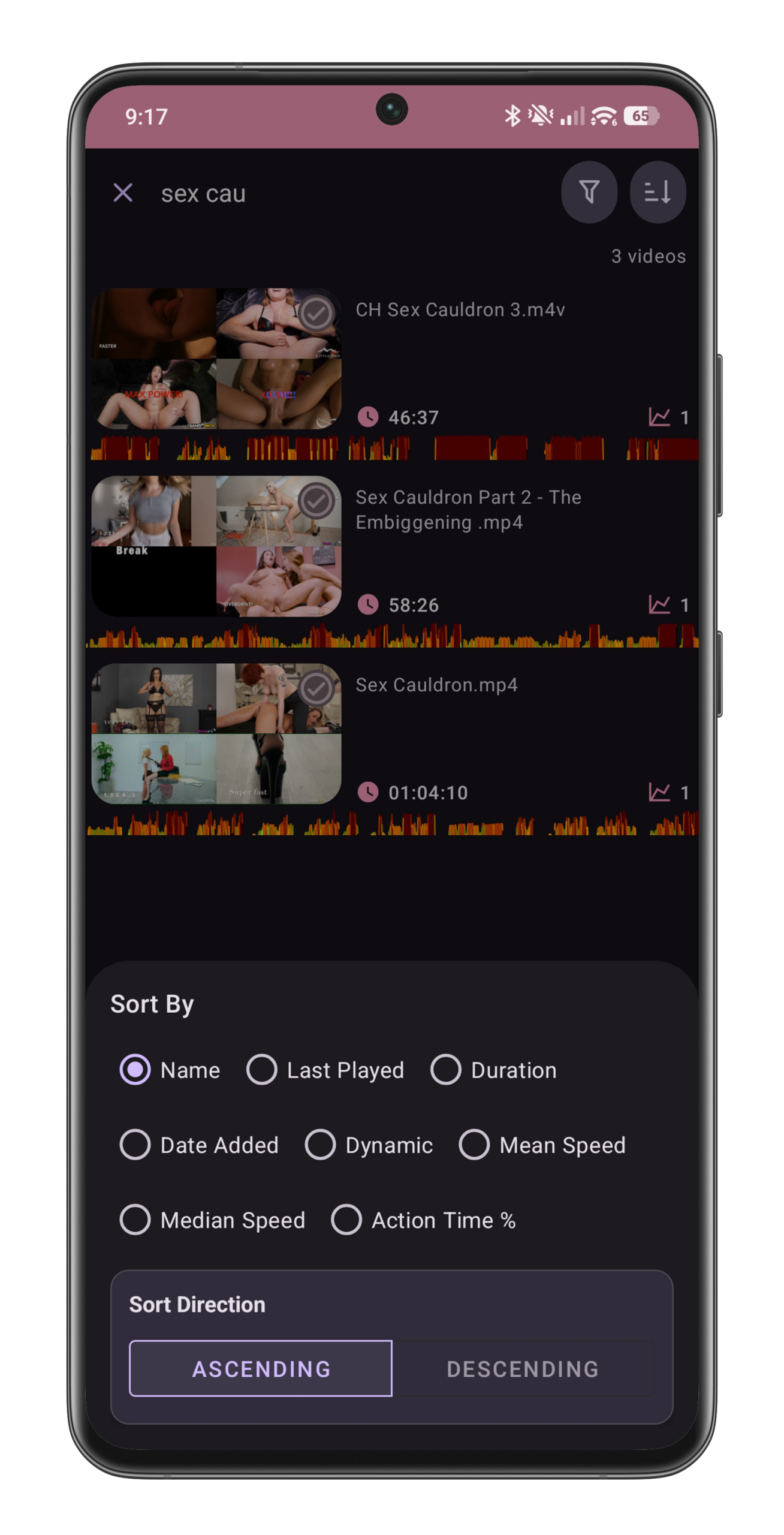
- Alphabetical (name)
- Last played date
- Date added
- Duration
- Dynamic variation score
- Mean/median speed
- Action time percentage
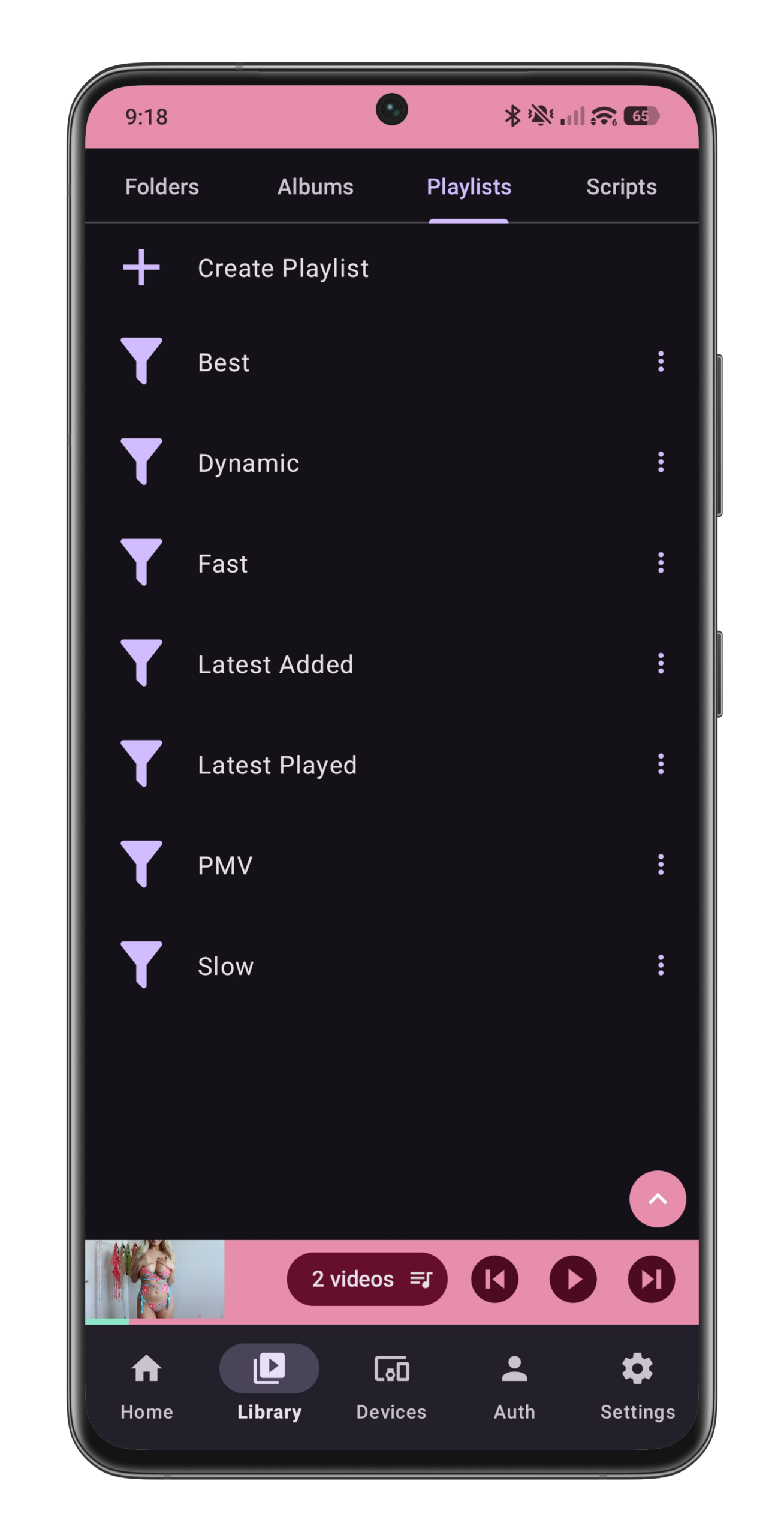
- Manual Playlists – Create custom collections by selecting videos
- Smart Playlists – Auto-updating playlists based on saved filter criteria
- Default Smart Playlists – Pre-configured for quick access
Multi-Source Video & Script Playback
- Support for local files, SMB shares, and web servers (Apache, Nginx)
- Automatic detection and association of Funscripts based on filenames
- Batch adding of folders and multiple video sources with customizable organization
- Generation of thumbnails and heatmaps for quick media preview
Advanced Video Players
- Standard Android video player with playlist support
- VR player mode for immersive playback experiences
- Chromecast streaming integration
- Picture-in-Picture mode for multitasking
Real-Time Script Control & Visualization
- Overlay controls to pause, mute, or delay device commands instantly
- Heatmaps displaying script activity alongside videos
- Gesture controls for volume, intensity adjustments, and scrubbing
- On-screen buttons for fine-grained script management
Customizable Intensity & Behavior Settings
- Speed/Position balance slider for tuning vibration feedback
- Option to invert position effect for personalized preferences
- Global intensity multiplier and separate up/down stroke adjustments
- Intensity thresholds to filter out weak or imperceptible vibrations
- Delay adjustment for synchronization fine-tuning
Playlist & Media Management
- Multi-selection and batch addition of videos or entire folders
- Search across all media sources by filename
- Clear and shuffle playlist functions
- Automatic script association with manual override capabilities
User Interface & Accessibility
- Dark and light theme options
- Intuitive navigation
- Contextual help and error feedback within the app
- Support for both casual and advanced users
Automatic Updates & Support
- Built-in automatic update checker with changelog display
- Responsive bug fixes and feature improvements