
The VR Player renders true stereoscopic 3D, runs in a Cardboard headset with gaze-driven controls, and detects the VR format automatically from the container, the file name and the frame shape.
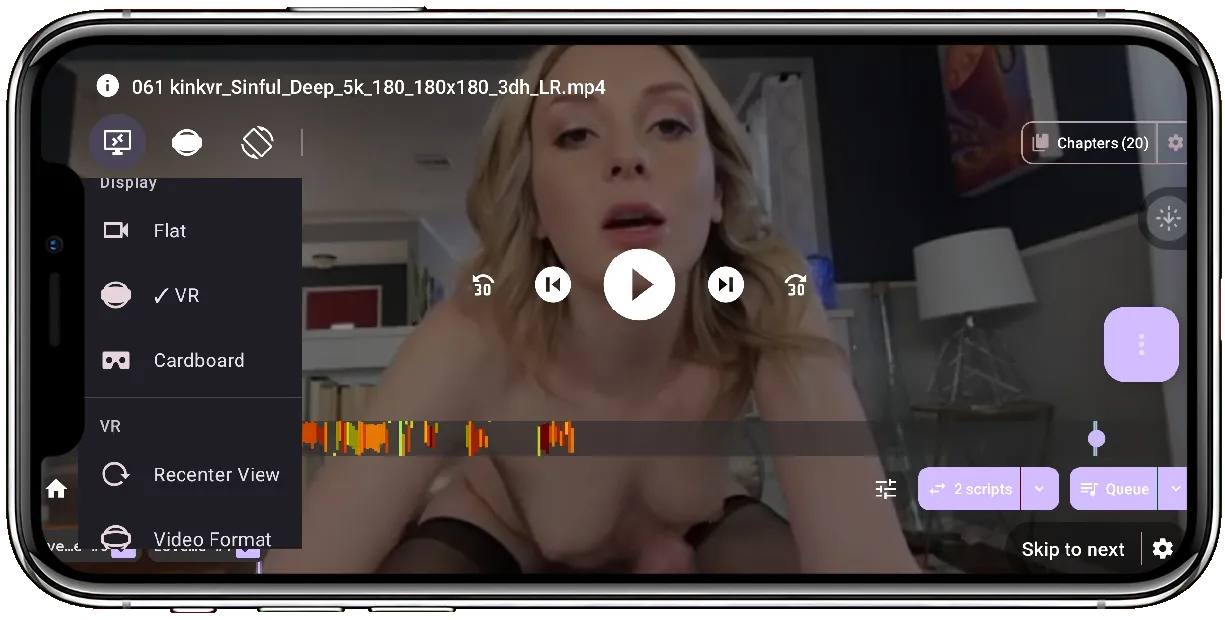
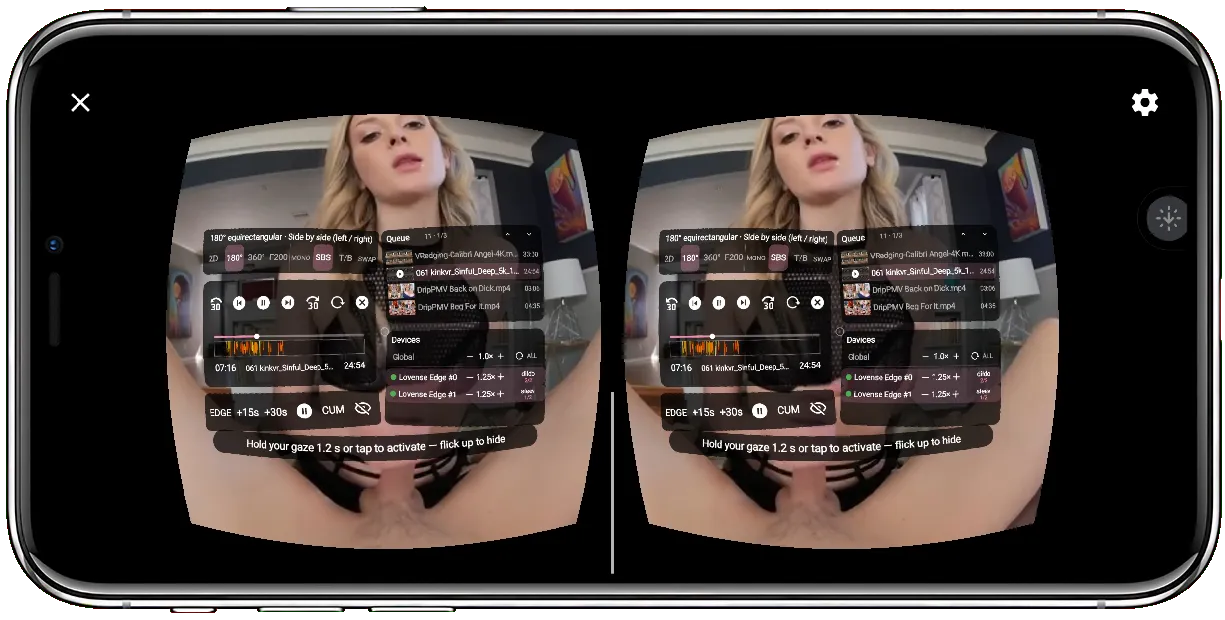
👓 Two viewing modes #
- 📱 On-screen mode — look around with the phone gyroscope or by swiping to pan. Good for a quick look without a headset.
- 🥽 Headset mode (Cardboard) — drop the phone into a Cardboard-style viewer for a stereoscopic view with per-eye projection and lens distortion for your viewer profile, driven by real head tracking.
🎥 What it can render #
Projections
- 🌐 Equirectangular — 180° and 360°
- 🐟 Fisheye — 180°, 190° (RF52), 200° (MKX200), 220° (MKX220, VRCA220)
- 🖥️ 2D screen — an ordinary flat video is played on a screen floating inside the headset (see below)
Stereo layouts
- Mono
- Side-by-side (left / right), including right-eye-first layouts (
_RL) - Top / bottom (over / under), including reversed layouts (
_BT)
🧠 Automatic VR format detection #
The player figures out how to draw a video on its own, by merging up to three signals, from the most reliable to the least:
- Container metadata — the spherical / stereo boxes embedded in the file (MP4
st3d/sv3d, MatroskaStereoMode/ProjectionPrivate). The most trustworthy, and the rarest. - File name — the tags the VR ecosystem writes into file names (see below). This is what carries most real-world files.
- Frame aspect ratio — the weakest hint, used only to fill in a stereo layout the other two left open (e.g. a 2:1 frame). It never invents a projection.
Once detected, the format is remembered per video, and you can always override it manually (see the format menu below).
📄 Detection from the file name #
FunFlixDroid follows the two conventions the ecosystem settled on — SKYBOX and HereSphere — which agree on the vocabulary and complete each other.
A few rules to keep in mind so your files are recognized:
- Tags are matched as whole tokens, so each one must be set off by an underscore, hyphen or space (
Movie_180_LR.mp4, notMovie180LR.mp4). This is why a bare180inside a resolution or a date is not mistaken for a projection. - Matching is case- and order-insensitive, and spelled-out variants work too (
Side_By_Side,SideBySide,Half_Over_Under…). - If several tags appear, the last one wins — the format is usually appended at the end of the name.
- A named lens (e.g.
MKX200) beats a plain field of view (180):MKX200_180_LRis read as a 200° fisheye. - A stereo tag with no projection (e.g. just
_SBS) is treated as a flat video, not VR.
Recognized tags
| Meaning | Tags accepted (case-insensitive) |
|---|---|
| Equirectangular 180° | 180, 180x180 |
| Equirectangular 360° | 360 |
| Fisheye 180° | FISHEYE, F180, 180F, VR180, FISHEYE180 |
| Fisheye 190° | FISHEYE190, RF52 |
| Fisheye 200° | FISHEYE200, MKX200 |
| Fisheye 220° | FISHEYE220, MKX22, MKX220, VRCA220 |
| Side-by-side (L/R) | SBS, LR, 3D, 3DH, HSBS, LeftRight, SideBySide, HalfSBS… |
| Side-by-side, reversed | RL, RightLeft |
| Top / bottom (over-under) | TB, OU, HOU, 3DV, TopBottom, OverUnder, HalfOU… |
| Top / bottom, reversed | BT |
| Mono (single eye) | MONO, 2D |
| Force flat playback | FLAT |
F to a stereo tag (e.g. _LRF) for two full-size frames. EAC / equiangular cubemap files are recognized but not yet drawn.Defaults, when a tag is missing: a 180 / 360 with no stereo tag is assumed mono; a fisheye lens with no stereo tag is assumed side-by-side, as the conventions prescribe.
🎯 In-headset controls (gaze) #
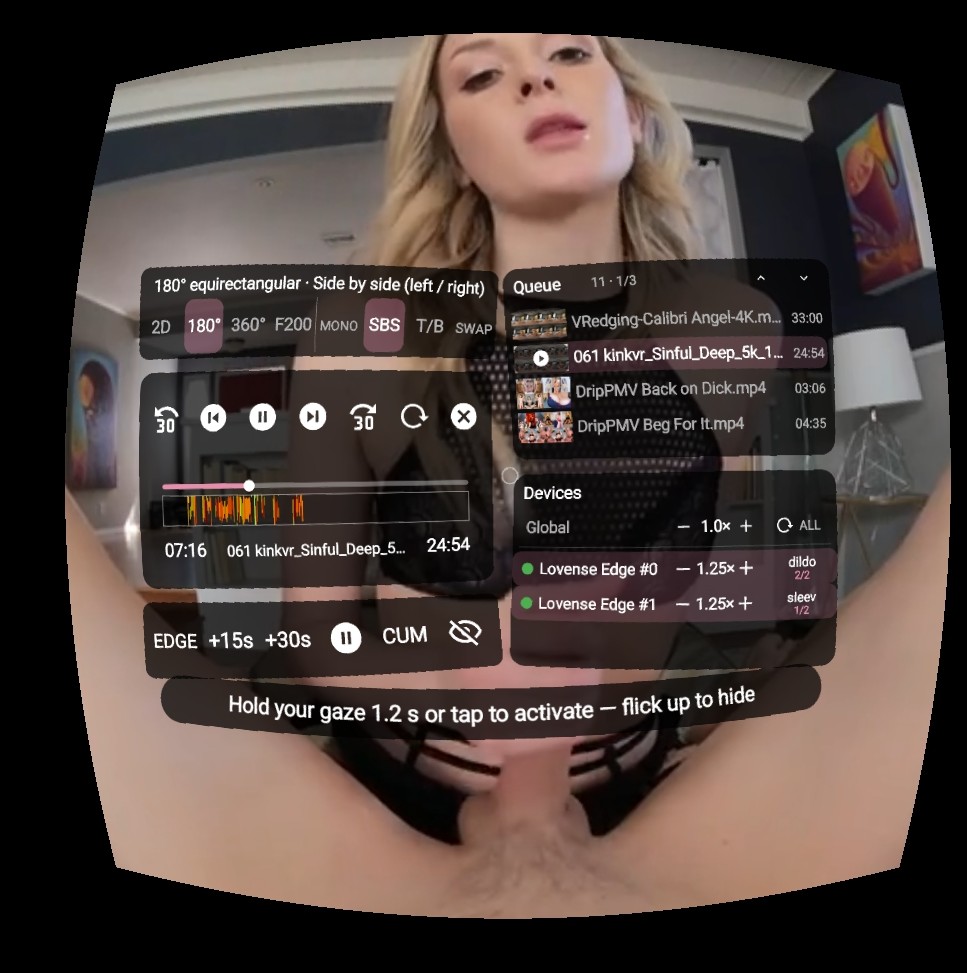
With the headset on, a floating overlay lets you drive playback by looking — no buttons to fumble for:
- ▶️ Play / pause, seek, and move through the queue (next / previous), with a thumbnail queue panel
- 🎚️ Global and per-device script intensity, edge / pause hold, and cum mode
- 🔌 A device panel to toggle devices and cycle their scripts, mirroring the flat player
- ⏭️ Skip to next action when there is a long gap ahead
- 🎯 Recenter — a 3-second gaze countdown puts “straight ahead” wherever you are looking (handy lying down); horizon tilt is never applied, to avoid motion sickness
🖥️ 2D videos in the headset #
A video the detection does not consider VR isn’t dropped out of the headset — it is played on its own flat screen floating inside the scene, so you can keep the headset on and stay in sync with your device. You can also force this on any video via the format menu.
🎛️ Manual format override #
Detection wrong, or the file name says nothing? A format menu lets you pick the projection and stereo layout by hand (or mark the video as flat 2D). Your choice outranks every signal for that video and is remembered next time.


