User guide/Enjoying Your Content
Player Features Overview
FunFlixDroid’s video player is designed to offer intuitive and powerful control over both your media playback and interactive device experience. Here’s an overview of everything you can do while watching.
🔁 Core Controls
- Play / Pause — Tap the center of the player, or use the overlay / on-screen controls.
- Skip Backward / Forward — Double-tap the left or right side of the screen. On-screen −30s / +30s buttons are also available in the controls. The skip amount is adjustable in Settings → Player.
👆 Swipe gestures (configurable)
Three swipe zones control your playback and your device. Each zone can be reassigned in Settings → Player — the defaults are:
| Gesture | Default action |
|---|---|
| Vertical swipe, left side | Script Intensity |
| Vertical swipe, right side | Script Speed |
| Horizontal swipe (anywhere) | Script Delay (− / +) |
Each zone can be set to any of: Intensity, Speed, Volume, Script Delay, Video Scrubbing or Brightness.
💡 You can also map a physical controller / remote to player actions in Settings → Button Mappings, or drive playback hands-free with voice commands (Settings → Hands-Free).
📲 Quick Navigation Buttons
Available at the top or side of the player for fast access:
- Home
- Devices
- Start / Stop Scanning Devices
🎛️ On-Screen Overlays & Script Visualization
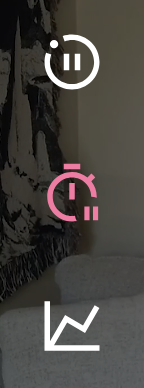
At the left of the player controls, you’ll find three quick-access buttons:
- Edge / Pause Overlay
- Edge Overlay
- Script Visualization Toggle
These buttons let you control additional on-screen UI elements designed to enhance your experience :
🕹️ Overlays
Two overlays are available, both semi-transparent and freely movable on screen. Their positions are saved across sessions and are orientation-specific (portrait or landscape).
Edge / Pause Overlay
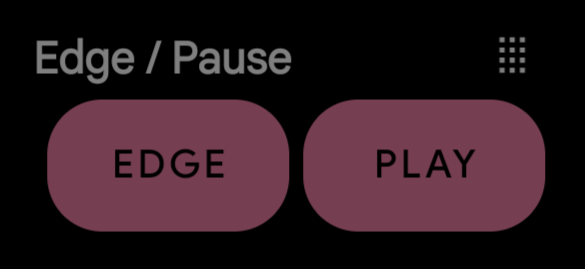
Edge: Instantly stops devices and scripts. When active, transforms intoResumeto resume scripts playing.Play/Pause: Controls video playback without needing to open player controls.- Edge Timer Overlay
Includes:+15sand+30sbuttons to pause device activity for a selected duration.- A visible countdown timer is shown while paused.
- A
Resumebutton lets you cancel the timer and resume script playback immediately. - You can stack time additions; pressing
+15stwice adds 30 seconds total.
Edge Timer Overlay
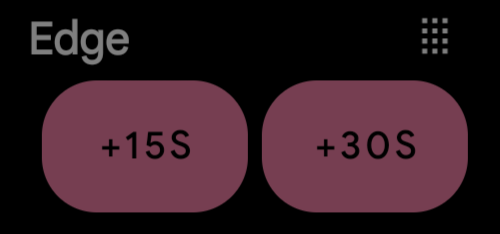
+15sand+30sbuttons to stop devices and scripts for a selected duration.- A visible countdown timer is shown while paused.
- A
Resumebutton lets you cancel the timer and resume script playback immediately. - You can stack time additions; pressing
+15stwice adds 30 seconds total.
Each overlay can be shown or hidden via its respective button. These tools are great for edging control or discreet media playback adjustments.
📈 Script Visualization
This optional overlay, toggled with the third button, displays a live waveform-style view of the active script(s).

- It is fixed to the bottom of the screen and not movable.
- A heatmap of the script is also drawn along the seek bar, so you can see the action density at a glance.
- Ideal for understanding script dynamics in real time.
✨ More controls
The player also includes:
- ⏭️ Skip to Action — jump over long gaps to the next script action, manually or automatically after a configurable delay.
- 🔖 Chapters — auto-detected chapters with an in-player chip and overlay, plus a Chapter Mode to navigate the queue by chapters.
- 💦 Cum mode — dedicated stimulation presets triggered on demand.
- 🔀 Per-device control — quick per-device configuration and a script switcher when a video has several scripts.
- 🎙️ Voice commands and 🎮 controller button mappings — see Settings → Hands-Free and Settings → Button Mappings.
Dedicated guides for these features are on the way.
Updated 27 August 2026